

How do I become a channel?
Instructions to create and manage a Polee channel.
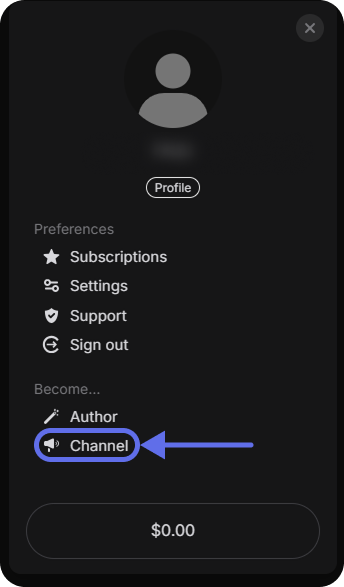
Complete registration and authorization on Polee.me. After that, find the menu where you can go to the "Become a Channel" section.
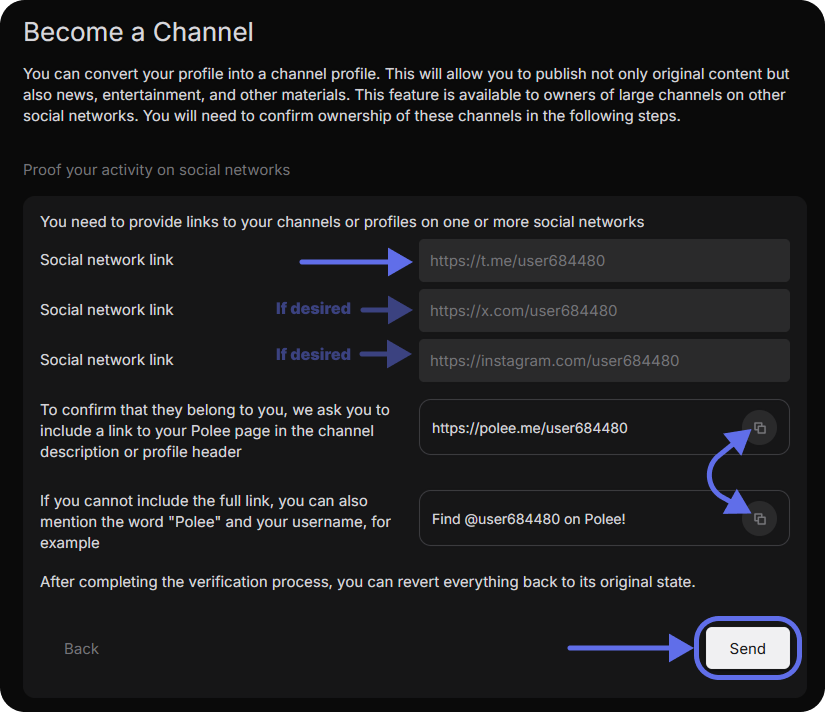
Go through identity verification by providing one or more links to your active pages on social networks (Telegram, X (formerly Twitter), Instagram, Twitch, or any other platforms where you have a strong following and post regularly). Also, please, add a link to your profile or nickname with the mention of the Polee.me on your pages. This confirms the connection and ensures authenticity.
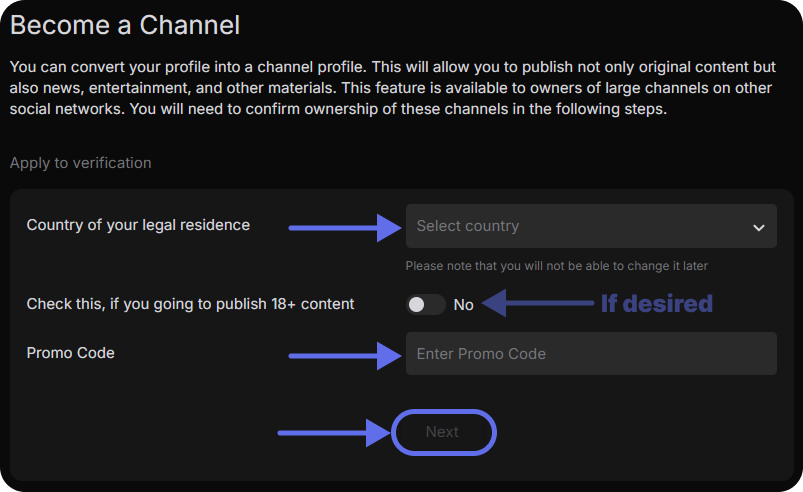
After some time of moderation, you will receive a notification that you have been granted access as a "channel" and you will be able to post content on Polee.me
On Polee.me, you can go beyond the number of channels you have created, if you have the opportunity or even the need.
How do I create multiple accounts on Polee to be verified as a "channel"? You can register each channel with a separate email, or if you have a Gmail account, you can use the so-called "+trick", for example: If your primary email is [email protected] , You can register on Polee.me using addresses like [email protected] , [email protected] and so on.
Gmail ignores the "+" symbol and everything after it, so all messages will be sent to the main mailbox, but these will be different unique addresses for the system. This allows you to register multiple channels using a single primary email.
How can I use multiple Polee channels at the same time?
You can create multiple profiles in Google Chrome, which allows you to store each user's data separately, including bookmarks, browsing history, and passwords. This is convenient if you want to separate your work and personal accounts. Details can be found in the Google Chrome help.
You can use the incognito mode in the browser, which will allow you to log into another account without logging out of the main one. However, it is worth noting that when the incognito window is closed, all session data will be deleted, so this method is suitable for temporary use.
You can use different browsers (Chrome, Safari, Firefox, and others) to log in to multiple accounts at the same time. Polee.me . Each browser saves its session separately, which allows you to work with different accounts without conflicts. The development team Polee.me It is constantly improving the platform, creating convenient conditions for creativity. If you have any difficulties, the support team is always ready to help!