> For the complete documentation index, see [llms.txt](https://polee.me/help/llms.txt). Markdown versions of documentation pages are available by appending `.md` to page URLs; this page is available as [Markdown](https://polee.me/help/en/faq/app.md).
# Mobile app
Overview of Polee mobile app features and how to install the shortcut on your device.
#### At the moment, you have [Polee.me ](https://polee.me)There is no official mobile app on Google Play or the Apple App Store, but we are actively working on its creation. However, our platform offers a convenient mobile version!
For quick access to the mobile version Polee.me You can add a shortcut of our website to the home screen of your device. This will allow you to open the website with a single tap, as if you were using a mobile app.
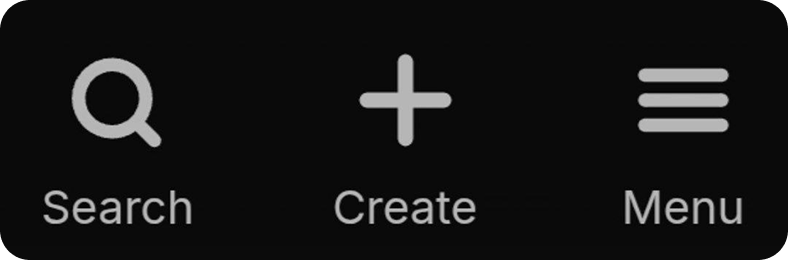
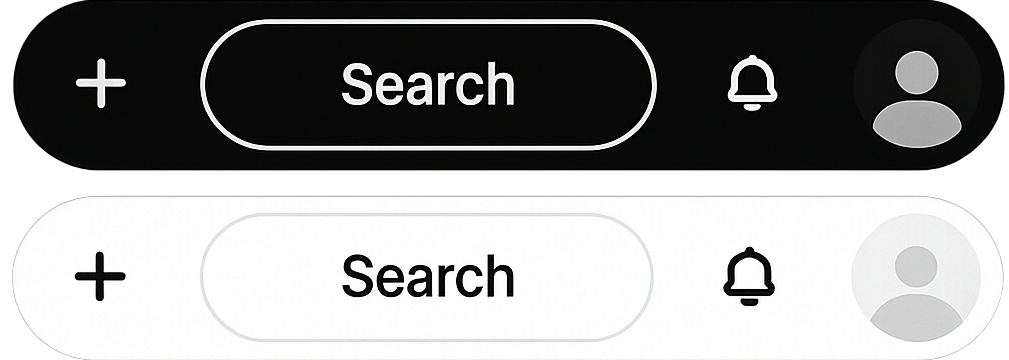
Due to the differences in the screen sizes of mobile devices and computers, the interface of our platform has been adapted. For example: on the mobile version, the buttons for searching, menu, and creating a new post are at the bottom of the screen, and on the PC version, they are in the upper-right corner of the page next to notifications. At the same time, the entire functionality of the platform remains unchanged, regardless of the device used.
.png?alt=media&token=717ab6c6-5f33-4101-932c-4a76bd124030)
.png?alt=media&token=0a0fa9a4-dd5d-4a1b-a8c1-b3444cb14c53)